> ## Documentation Index
> Fetch the complete documentation index at: https://wb-21fd5541-sdk-testing-latest.mintlify.site/llms.txt
> Use this file to discover all available pages before exploring further.
> W&B report を Notion または HTML の `iframe` 要素に直接埋め込みます。
# report を埋め込む
W\&B report を外部のページやツールに埋め込むと、チームは他のドキュメントと並べて最新の実験結果を確認できます。このページでは、report から埋め込みコードを生成し、それを HTML、Confluence、Notion、または Gradio で使用する方法について説明します。
## HTML `iframe` 要素
HTML `iframe` 要素を使用すると、カスタム HTML を使用できる任意の Web ページに report を埋め込めます。W\&B には、report から直接コピーできる埋め込みコードがあらかじめ用意されています。
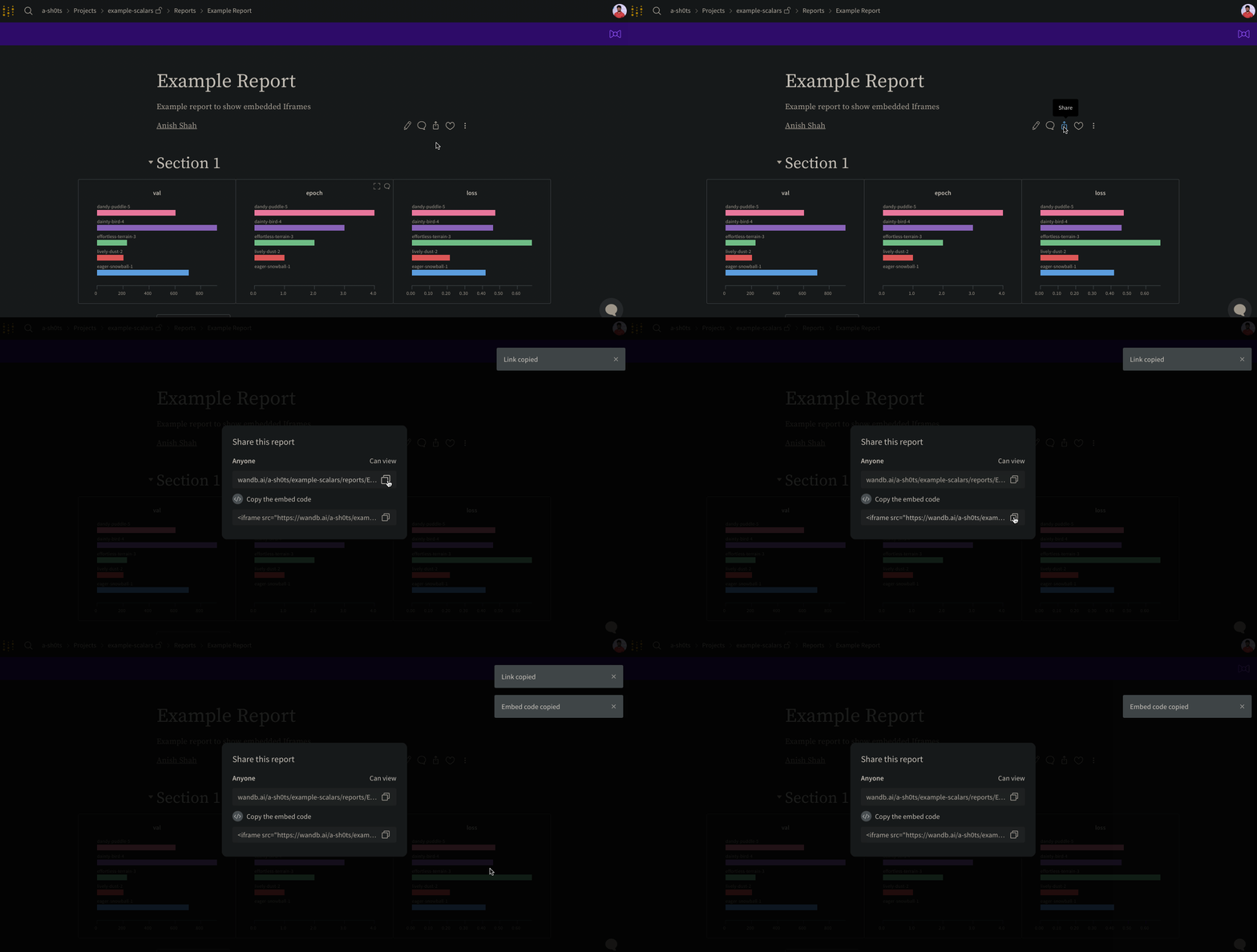
report の右上で **Share** ボタンを選択してダイアログを開き、**Copy embed code** を選択します。コピーされたスニペットは `iframe` HTML 要素で、カスタム HTML を使用できる任意のページに貼り付けることができます。
埋め込み時に表示できるのは *public* report のみです。
## Confluence
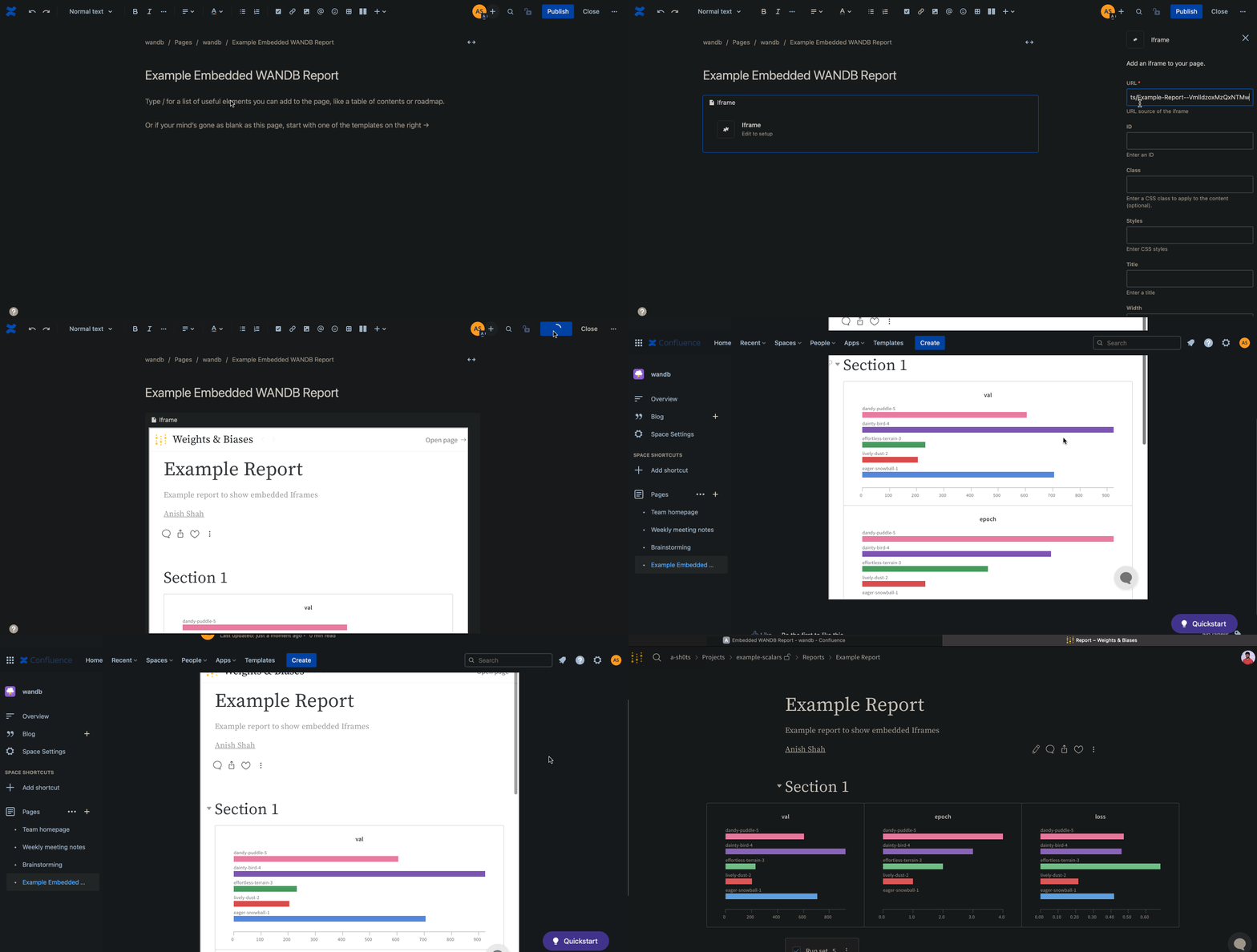
Confluence は、組み込みの `iframe` マクロによる report の埋め込みをサポートしています。以下のアニメーションは、Confluence の `iframe` セルに report への直接リンクを挿入する方法を示しています。
## Notion
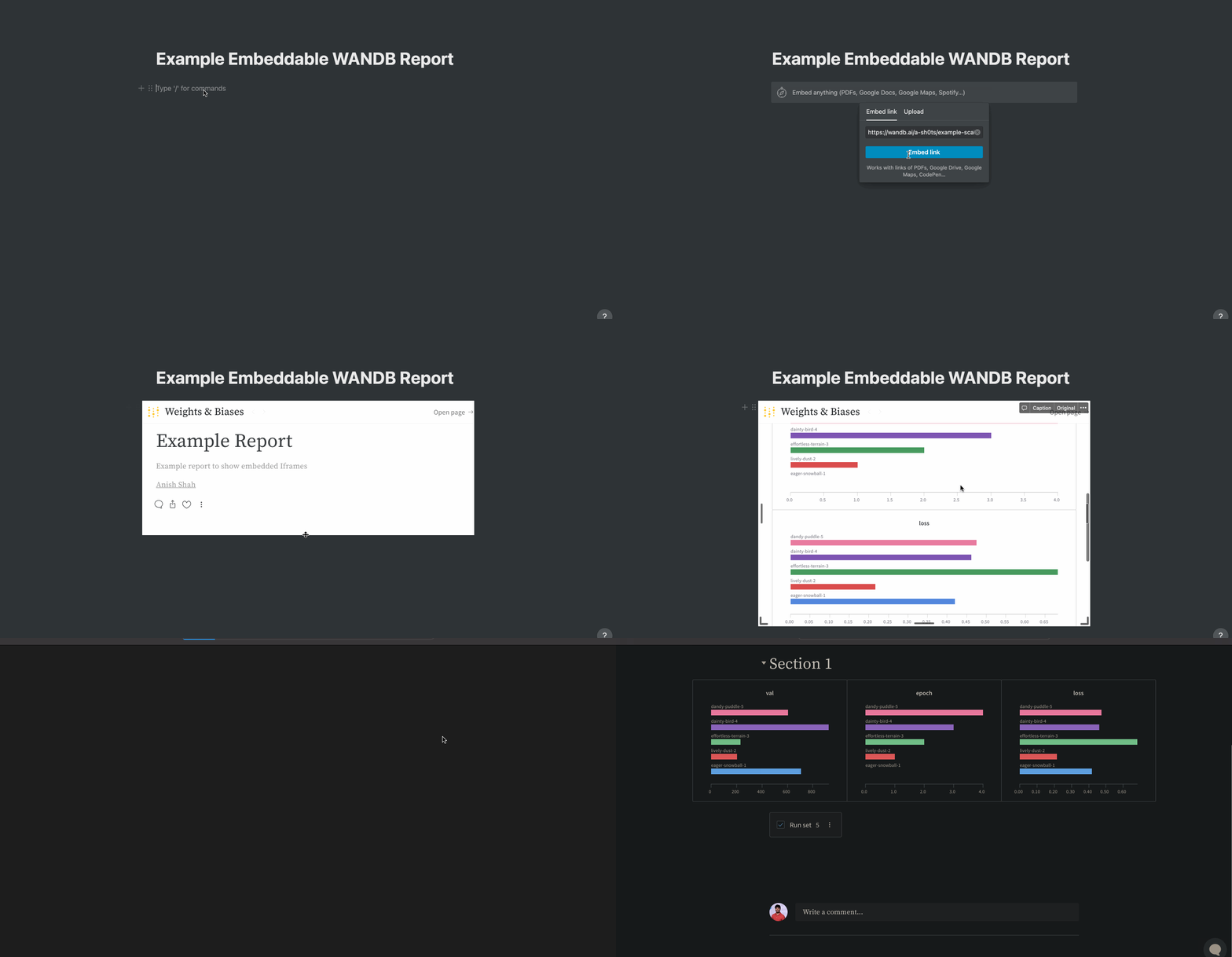
Notion の **Embed** ブロックでは、W\&B が提供するものと同じ埋め込みコードを使用できます。次のアニメーションは、Notion の **Embed** ブロックと report の埋め込みコードを使って、Notion ドキュメントに report を埋め込む方法を示しています。
## Gradio
Hugging Face Spaces で hosted されているアプリを含む Gradio アプリに W\&B report を埋め込むには、Gradio の `gr.HTML` 要素を使用して、report URL を指す `iframe` をレンダリングします。
```python theme={null}
import gradio as gr
def wandb_report(url):
iframe = f'