> ## Documentation Index
> Fetch the complete documentation index at: https://wb-21fd5541-sdk-testing-latest.mintlify.site/llms.txt
> Use this file to discover all available pages before exploring further.
> Integrate W&B with PaddleDetection to track object detection model training, log metrics, and visualize results.
# PaddleDetection
export const ColabLink = ({url}) =>
Try in Colab
;
[PaddleDetection](https://github.com/PaddlePaddle/PaddleDetection) is an end-to-end object-detection development kit based on [PaddlePaddle](https://github.com/PaddlePaddle/Paddle). It detects various mainstream objects, segments instances, and tracks and detects keypoints using configurable modules such as network components, data augmentations, and losses.
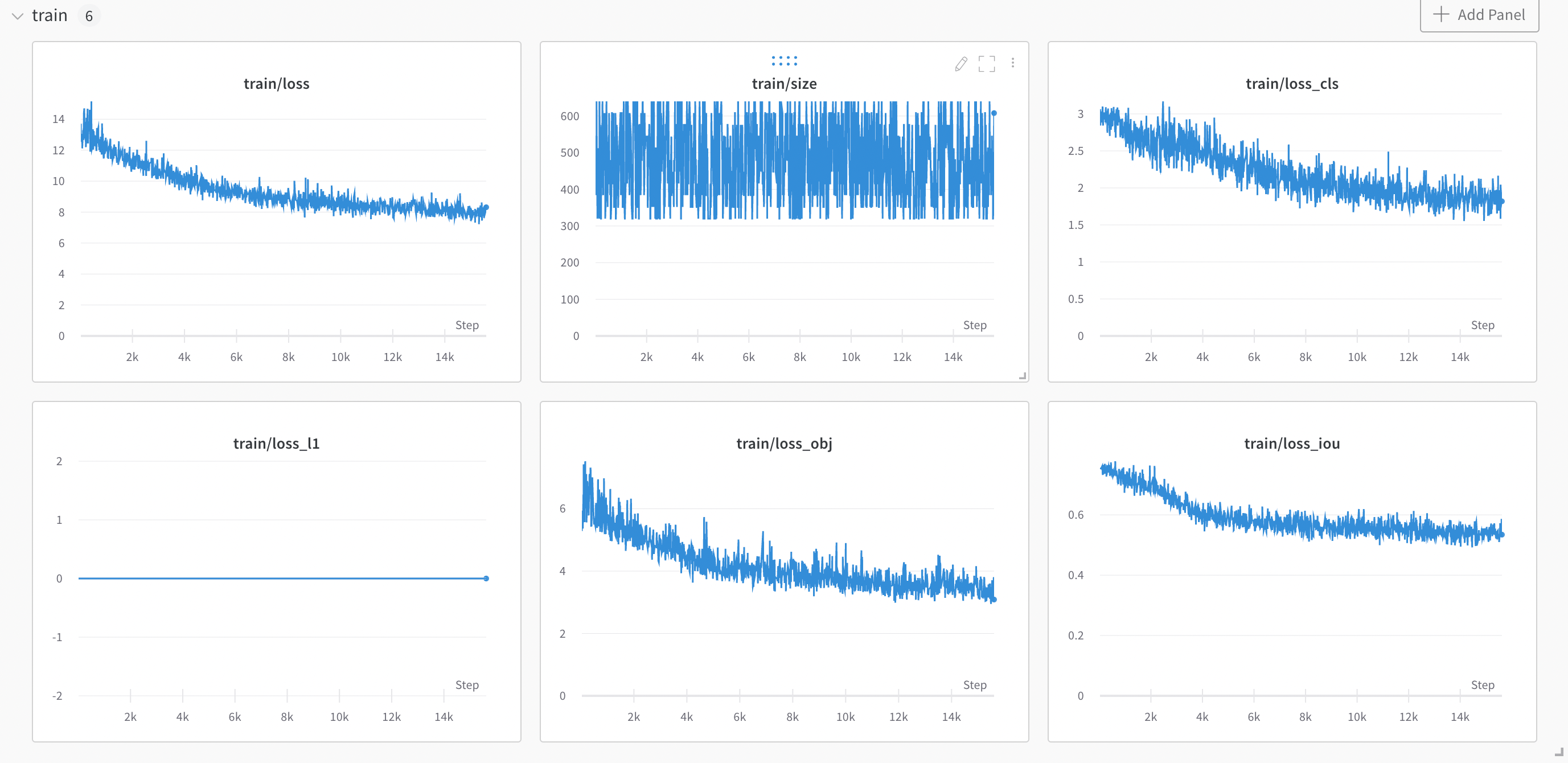
PaddleDetection now includes a built-in W\&B integration which logs all your training and validation metrics, as well as your model checkpoints and their corresponding metadata.
The PaddleDetection `WandbLogger` logs your training and evaluation metrics to W\&B as well as your model checkpoints while training.
[Read a W\&B blog post](https://wandb.ai/manan-goel/PaddleDetectionYOLOX/reports/Object-Detection-with-PaddleDetection-and-W-B--VmlldzoyMDU4MjY0) which illustrates how to integrate a YOLOX model with PaddleDetection on a subset of the `COCO2017` dataset.
## Sign up and create an API key
An API key authenticates your machine to W\&B. You can generate an API key from your user profile.
For a more streamlined approach, go to [User Settings](https://wandb.ai/settings) and create an API key. Copy the API key immediately and save it in a secure location such as a password manager.
1. Click your user profile icon in the upper right corner.
2. Select **User Settings**, then scroll to the **API Keys** section.
## Install the `wandb` library and log in
To install the `wandb` library locally and log in:
1. Set the `WANDB_API_KEY` [environment variable](/models/track/environment-variables/) to your API key.
```bash theme={null}
export WANDB_API_KEY=
```
2. Install the `wandb` library and log in.
```shell theme={null}
pip install wandb
wandb login
```
```bash theme={null}
pip install wandb
```
```python theme={null}
import wandb
wandb.login()
```
```notebook theme={null}
!pip install wandb
import wandb
wandb.login()
```
## Activate the `WandbLogger` in your training script
To use wandb via arguments to `train.py` in [PaddleDetection](https://github.com/PaddlePaddle/PaddleDetection/):
* Add the `--use_wandb` flag
* The first wandb arguments must be preceded by `-o` (you only need to pass this once)
* Each individual argument must contain the prefix `"wandb-"` . For example any argument to be passed to [`wandb.init()`](/models/ref/python/functions/init) would get the `wandb-` prefix
```shell theme={null}
python tools/train.py
-c config.yml \
--use_wandb \
-o \
wandb-project=MyDetector \
wandb-entity=MyTeam \
wandb-save_dir=./logs
```
Add the wandb arguments to the config.yml file under the `wandb` key:
```
wandb:
project: MyProject
entity: MyTeam
save_dir: ./logs
```
When you run your `train.py` file, it generates a link to your W\&B Dashboard.
## Feedback or issues
If you have any feedback or issues about the W\&B integration, open an issue on the [PaddleDetection GitHub](https://github.com/PaddlePaddle/PaddleDetection) or email [support@wandb.com](mailto:support@wandb.com).